What Should You Check Before Exporting a Catalog to HiBid?
Before you export a catalog to HiBid, review your lot data and photos, verify the current import requirements for your destination workflow, and plan a final inspection after import.
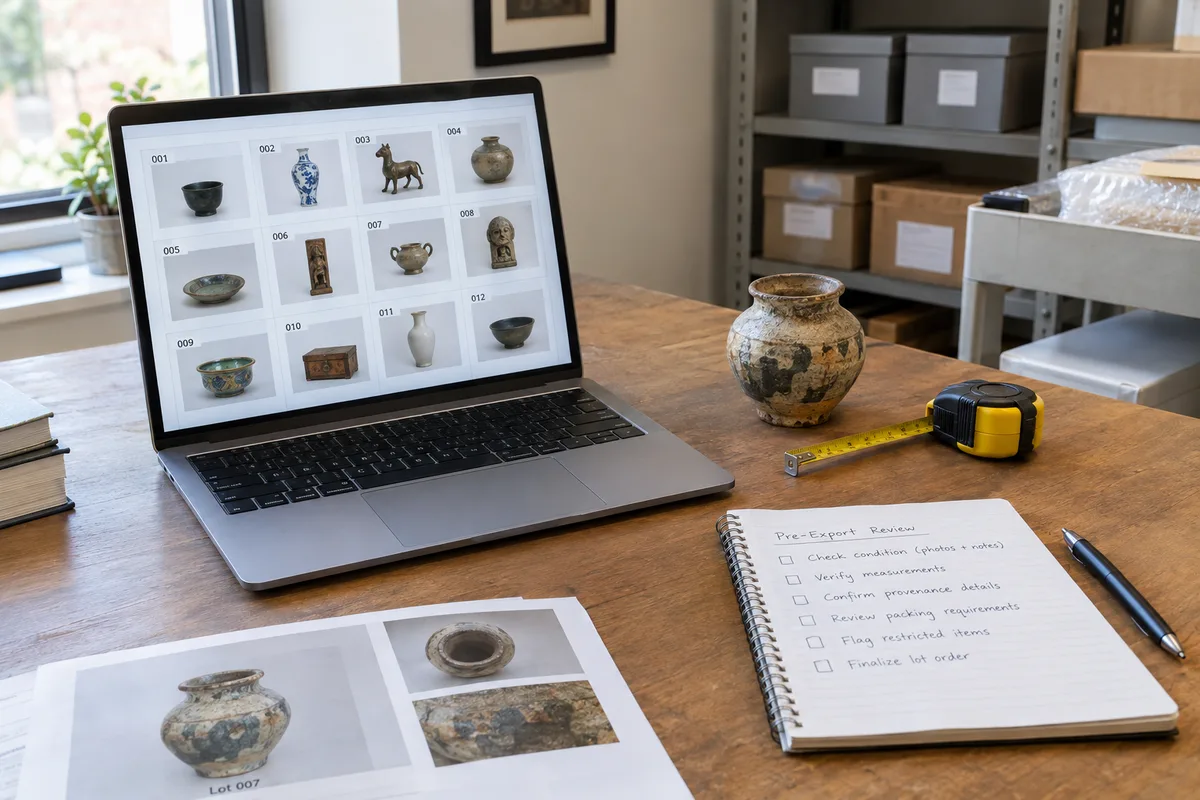
Before exporting a catalog to HiBid, check your lot numbers, titles, descriptions, estimates, photo assignments, and intended image order. Then verify the current requirements for your destination workflow and inspect the imported catalog before publishing it.
If you are deciding what to check before exporting a catalog to HiBid, think in two stages: confirm that your source catalog is accurate, then confirm that the destination received and displayed it as intended. A clean source catalog is essential, but it does not replace a post-import review.
How does catalog preparation differ from auction platform operations?
Catalog preparation is the work you do to describe and organize the property before it reaches your auction platform. You assign lot numbers, select photos, review descriptions, and prepare the information for export.
AuctionWriter is standalone auction cataloging software. It turns lot photos into draft titles, descriptions, and estimates, organizes photos into lots, and exports sale-ready catalogs to platforms auction houses already use, including HiBid. You can review its role in that process on the AI cataloging page.
That role has a clear boundary. AuctionWriter is not an auction management, clerking, bidding, or payment platform. It does not run your live sale, register bidders, or settle invoices. Those activities remain in your destination systems.
Keep that distinction visible in your workflow:
- Prepare the catalog: Review the property details, lot sequence, photographs, and draft text.
- Transfer the catalog: Use the export and import route appropriate to your setup.
- Complete destination-side setup: Review the imported catalog and configure the auction in the systems you use to conduct it.
Do not assume that exporting a catalog also publishes an auction or keeps later edits synchronized. Know which copy you are editing and whether a change needs to be transferred again.
What should you review in lot numbers, titles, descriptions, and estimates?
Start with the lot sequence. Look for duplicate numbers, unintended gaps, missing lots, and lots that belong in another sale. A gap may be deliberate; the check is whether the sequence matches your intended catalog.
If you use suffixes or another special numbering convention, confirm how your destination workflow accepts and sorts them. Do not assume that a number displayed correctly in your source catalog will automatically sort the same way after import.
Next, read each title as a bidder would encounter it in a catalog list. Does it identify the item clearly? Does it agree with the photos and description? Remove unsupported maker names, dates, materials, or model information rather than treating a plausible draft as an established fact.
For descriptions, check:
- Identity: Does the text describe the actual object or group being offered?
- Quantity: Is the number of items clear and consistent with the photographs?
- Measurements: Are dimensions and units correct where you provide them?
- Condition: Have you included observed damage, wear, repairs, or missing parts that need disclosure?
- Support: Can you substantiate statements about signatures, marks, provenance, or attribution?
- Consistency: Do the title, description, and photos tell the same story?
Treat AI-generated text as a draft requiring your review. Photographs may not establish material, authenticity, working condition, or details that require physical inspection.
Review estimates separately from descriptive text. Confirm that each estimate is intentional, belongs to the correct lot, and uses the appropriate currency and format for your workflow. Do not confuse an estimate with an opening bid or reserve; verify how your destination handles each field you intend to transfer.
Finish this stage by saving a clearly identified export version. Your catalog management process should make it clear which catalog was approved for transfer.
How do you verify each lot’s photos and their intended order?
Review photographs lot by lot, not just as a folder of images. A photograph can be clear and correctly exposed yet still be assigned to the wrong lot.
Begin with the lead image. It should identify the property being offered without making the bidder infer which object is included. For a group lot, check that the images and description agree on the contents.
Then review the supporting sequence. Put the images in an order that helps someone examine the lot: overall views first, followed by relevant angles, identifying marks, details, and condition photographs. Check that important defects are visible rather than obscured by unrelated close-ups.
Your photo checklist should cover:
- Missing images or lots with no photographs.
- Images assigned to neighboring or similarly named lots.
- Unnecessary duplicates.
- Rotated, blurred, or poorly framed photographs.
- Labels, paperwork, or background objects that could cause confusion.
- Missing detail shots needed to support the description.
Resolve assignments and sequencing before export. You can use a consistent photo management workflow to keep this review separate from the writing check.
Finally, verify how your chosen transfer method handles images and their order. Your intended sequence in the source catalog still needs confirmation in the destination.
Which current destination requirements should you check before export?
Check the current instructions for the exact route you will use to get the catalog into your HiBid workflow. If your process involves Auction Flex or another system, verify that handoff as well. Do not assume that every route uses the same file layout or photo-transfer process.
Use current destination documentation or confirm unclear requirements with the relevant support team. An old spreadsheet or a successful import from a previous sale is a useful reference, not proof that every requirement remains unchanged.
Before generating the export, verify:
- Accepted format: Which file type or transfer method does your workflow require?
- Field structure: Which fields are required, and how should your source fields map to them?
- Lot numbering: How are suffixes, special characters, and sorting handled?
- Text handling: Are there current length, character, or formatting restrictions?
- Numeric values: How should estimates and other applicable amounts be represented?
- Images: How must photos be supplied, associated with lots, and ordered?
- Repeat imports: Will another import add records, update records, or require another procedure?
These are verification questions, not a fixed statement of HiBid’s requirements. Confirm the answers for your setup before choosing export options.
If your workflow permits it, test a small representative group before transferring the full catalog. Include a multi-image lot, a longer description, and any numbering convention that needs checking.
What should you inspect in the imported catalog before publication?
Treat the imported catalog as a separate review copy. A completed import does not, by itself, confirm that every field, image, and sequence matches your intention.
Compare the destination catalog against the approved source version. Start with the total lot count and numbering sequence, then inspect individual records. Check titles, description formatting, quantities, measurements, and estimates wherever those fields were intended to transfer.
Open the photos rather than relying only on thumbnails. Confirm that the correct images appear under each lot, the intended lead image is first, and the remaining sequence makes sense. Pay particular attention to adjacent lots that contain similar objects.
Inspect any lot that needed manual correction, used unusual characters, or had a longer description. If the destination provides a bidder-facing preview, use it to check how the catalog will read outside the editing screen.
Complete auction-level settings separately in your destination workflow. Do not infer that catalog import has configured schedules, bidding settings, terms, registration, or payment arrangements.
If you find an error, determine where the correction belongs before making it. A destination-only edit can leave your source catalog out of date; a new import may behave differently from a first import. Confirm the update procedure before transferring the catalog again.
For repeat sales, turn these checks into a short sign-off routine: source approved, export checked, import inspected, destination setup reviewed. You can keep catalog preparation in AuctionWriter while retaining a clear final review in the platform you use to publish and conduct the auction.