How Can an Auction Team Split Cataloging Work Without Losing Consistency?
Divide cataloging by stage, give each lot a clear handoff, and use one shared standard for descriptions. This operating model separates routine checks from specialist decisions and puts one person in charge of the final export.

To divide auction cataloging work among staff without losing consistency, assign clear owners for photography, drafting, review, and final approval, then give everyone the same writing rules and handoff checklist. If you are deciding how to divide auction cataloging work among staff, organize the process around these stages rather than letting each person catalog lots from start to finish in a different way.
AuctionWriter can support the drafting portion of that process. Its AI auction cataloging software turns lot photos into draft titles, descriptions, and estimates, organizes photos into lots, and exports catalogs to the auction platforms you already use. Keep staff assignments, review status, and approval decisions in your own shared checklist or tracker; this workflow does not depend on software permissions, task assignments, or real-time collaboration.
Who Should Own Photography, Drafting, and Review?
Give each stage a named owner and a clear definition of done. One person can cover several stages on a small team, but the responsibilities should remain distinct.
| Stage | Owner's responsibility | Ready to hand off when |
|---|---|---|
| Photography | Capture and group the correct images for each lot | Images show the contents, identifying details, and visible condition issues |
| Drafting | Turn photos and intake notes into a consistent draft | Required fields are present and unresolved questions are recorded |
| Review | Check completeness, wording, and supporting evidence | Routine corrections are finished and specialist questions are resolved or held |
| Final approval | Check the assembled catalog and authorize export | Approved lots match the intended sale and export requirements |
Start with a stable lot identifier. Use the same identifier in your physical labeling, photo records, and work tracker. If sale lot numbers may change, keep a separate internal reference so renumbering does not break the connection between an item and its notes.
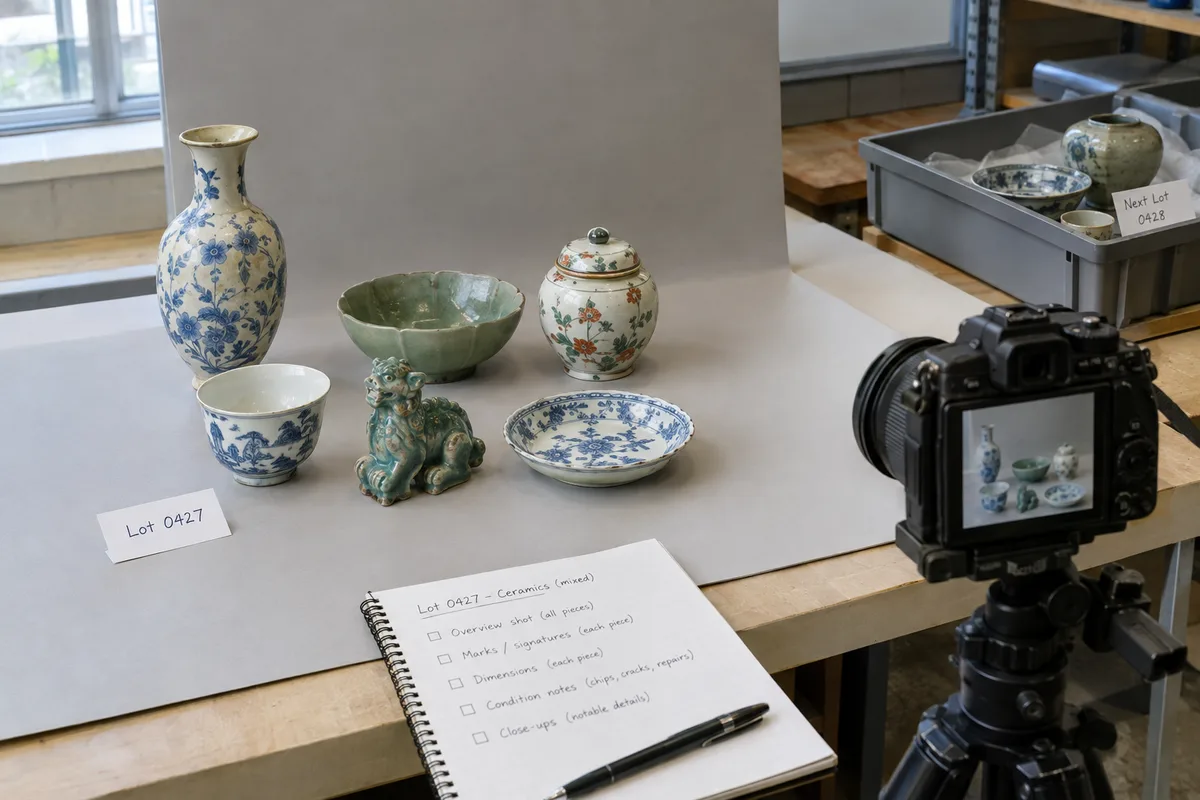
For photography, define a minimum shot list by category. A piece of furniture might need an overall view, additional angles, measurements, labels, and close-ups of visible damage. A grouped lot needs an image that makes the included contents clear. Your photographer should record missing information rather than expect the writer to infer it from an incomplete image.
A consistent photo-management workflow also needs a handoff rule: no drafting until the photographer confirms that the images belong to the correct lot. If you photograph a replacement image later, record which lot it belongs to and whether it replaces an earlier image.
Assign drafting in bounded batches, such as a defined lot range or category. Record the batch owner in your tracker so two people do not independently revise the same work. Before anyone starts, confirm which catalog file or working copy is current.
The drafting owner should use the available photos and intake notes, check the resulting text, and flag unanswered questions. A draft is ready for review when it is complete enough to check—not when every uncertainty has been guessed away.
How Do You Create a Shared Description Style Guide?
Write a short guide that settles recurring choices before staff begin. Keep it accessible beside the work tracker, and use actual approved lots as examples.
Your guide should cover:
- Title order: Choose a sequence, such as object type, maker when supported, material, and distinguishing feature.
- Description structure: Put identification, included contents, measurements, and condition in a predictable order.
- Measurements: Specify units, dimension order, and how to label approximate measurements.
- Condition language: Describe observed issues plainly and avoid treating an unchecked item as free of damage.
- Uncertainty: Explain how staff should flag unsupported identification, unreadable marks, or missing information.
- House formatting: Standardize capitalization, abbreviations, punctuation, and quantity notation.
For example, your preferred description might read: “Wooden side table with one drawer. Measures approximately 24 inches high × 18 inches wide × 14 inches deep. Surface scratches and wear to the top.” The point is not that every lot should use those words. The point is that each writer follows the same order and level of specificity.
Keep internal questions separate from bidder-facing text. “Ask specialist about mark” belongs in your review tracker, not in the published description. If the question remains unresolved, the reviewer must decide whether to use narrower supported wording or hold the lot.
Before dividing a large catalog, have each writer draft a small sample batch. Review the samples together and resolve differences in tone, title length, condition wording, and detail. Update the guide once, rather than correcting the same difference throughout the sale.
With AuctionWriter, treat generated titles, descriptions, and estimates as drafts to review against your standards. Drafting support does not replace inspection notes or your team's judgment.
Which Checks Are Routine, and Which Need a Specialist?
Separate checks that follow a rule from decisions that require subject knowledge. This keeps specialist attention focused without asking a general reviewer to make unsupported judgments.
Routine checks can include:
- Confirming that the lot identifier matches the photos and notes.
- Checking spelling, measurement formatting, and required fields.
- Confirming that the stated quantity matches the documented contents.
- Removing internal comments from public descriptions.
- Checking that recorded condition observations appear in the description.
- Confirming that the title and description do not contradict each other.
Specialist review is appropriate when the wording depends on knowledge the routine reviewer does not have. Examples include interpreting a maker's mark, assessing whether a proposed attribution is supported, or resolving conflicting information about material or age. Route estimate questions to the person your team has designated to review them.
Give each referral a specific question. “Please review” is less useful than “The intake note names a maker, but the photographed mark is unclear. What identification can the description support?” Include the relevant photos, notes, and proposed wording.
Use simple statuses in your separate tracker: ready for drafting, ready for routine review, specialist question, approved, and held. Record who owns the next action and what is blocking progress. These are operating conventions for your team, not claims about built-in AuctionWriter task or permission features.
Set a review cutoff before export. If a question cannot be resolved, the final approver should decide whether to hold the lot or approve a description limited to supported information. A deadline is not a reason to turn uncertainty into a definite statement.
Who Should Give Final Approval for Catalog Handoff?
Choose one person to authorize the final catalog version. Several people can contribute checks, but one approver should decide whether the catalog is ready to leave the drafting workflow.
This final review is different from rewriting every description. Its purpose is to confirm that the earlier stages are complete and that the assembled catalog is internally consistent.
Use a final handoff checklist:
- Confirm scope. Check that the catalog contains the intended lots and excludes held or withdrawn items.
- Check identifiers and sequence. Review lot numbering, order, and photo-to-lot matching.
- Confirm review completion. Resolve outstanding questions or explicitly hold the affected lots.
- Check the destination. Confirm the fields and file format required by your auction platform.
- Save the approved version. Record the filename, approval date, and approver in your tracker.
- Inspect the imported result. Check text, images, numbering, and field placement before publication.
AuctionWriter's catalog management workflow sits before your auction management or bidding system. AuctionWriter exports catalogs to HiBid, Auction Flex, BidWrangler, Proxibid, Wavebid, and LiveAuctioneers; it does not run the live sale, register bidders, or settle invoices.
After approval, route changes through the final approver. Record the affected lot, the correction, and whether the receiving platform also needs updating. This prevents a late edit in one file from leaving another version out of date.
Whether you work with two people or a larger auction team, the operating principle is the same: give each stage an owner, make handoffs explicit, and apply one shared standard before the catalog reaches bidders.